 ScheduleFC
Every schedule around a youth sports team.
In one place.
ScheduleFC is a different thing depending on who you are: a family calendar for parents with kids on different teams, a workspace for the team manager running the season, and one public link for a club's tournament weekend or league season.
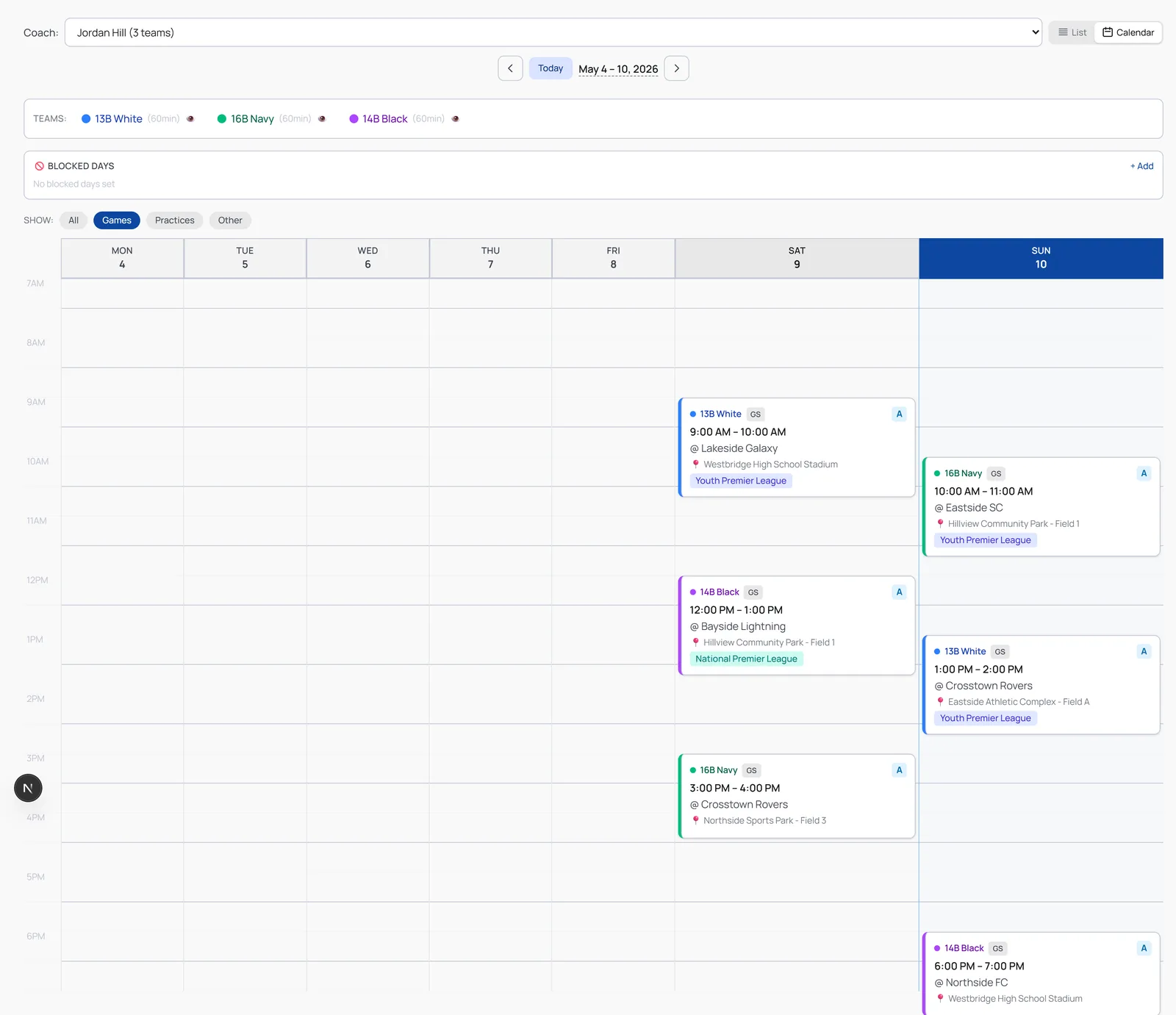
Pick the parts that sound like your week.
Family Calendar
Merge all your kids’ schedules — every team, every sport — into one family sports calendar with one link the whole family can follow.
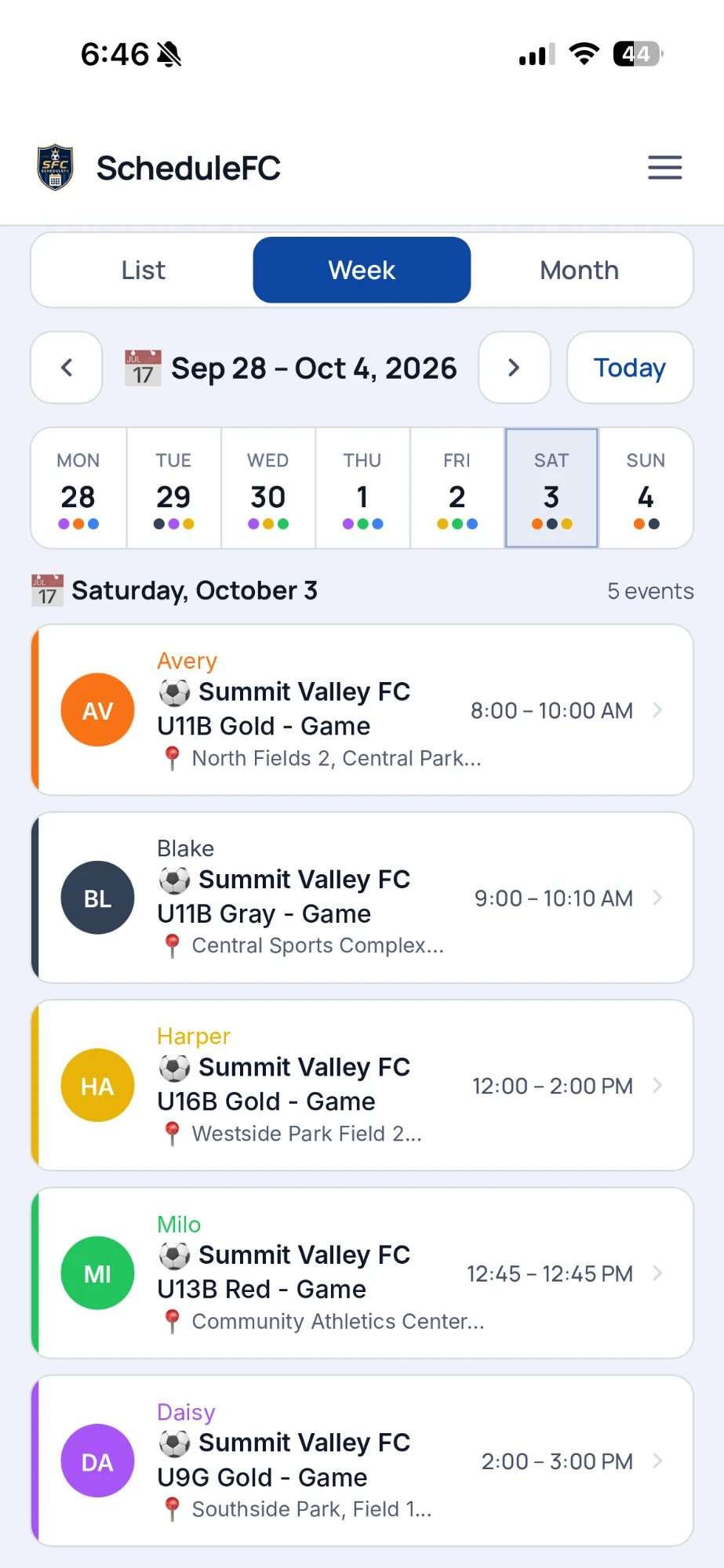
- Every kid, color-coded, in one calendar
- One link grandparents subscribe to once
- Updates itself when a team moves a game
- First month free, then $5/year
Link Locker
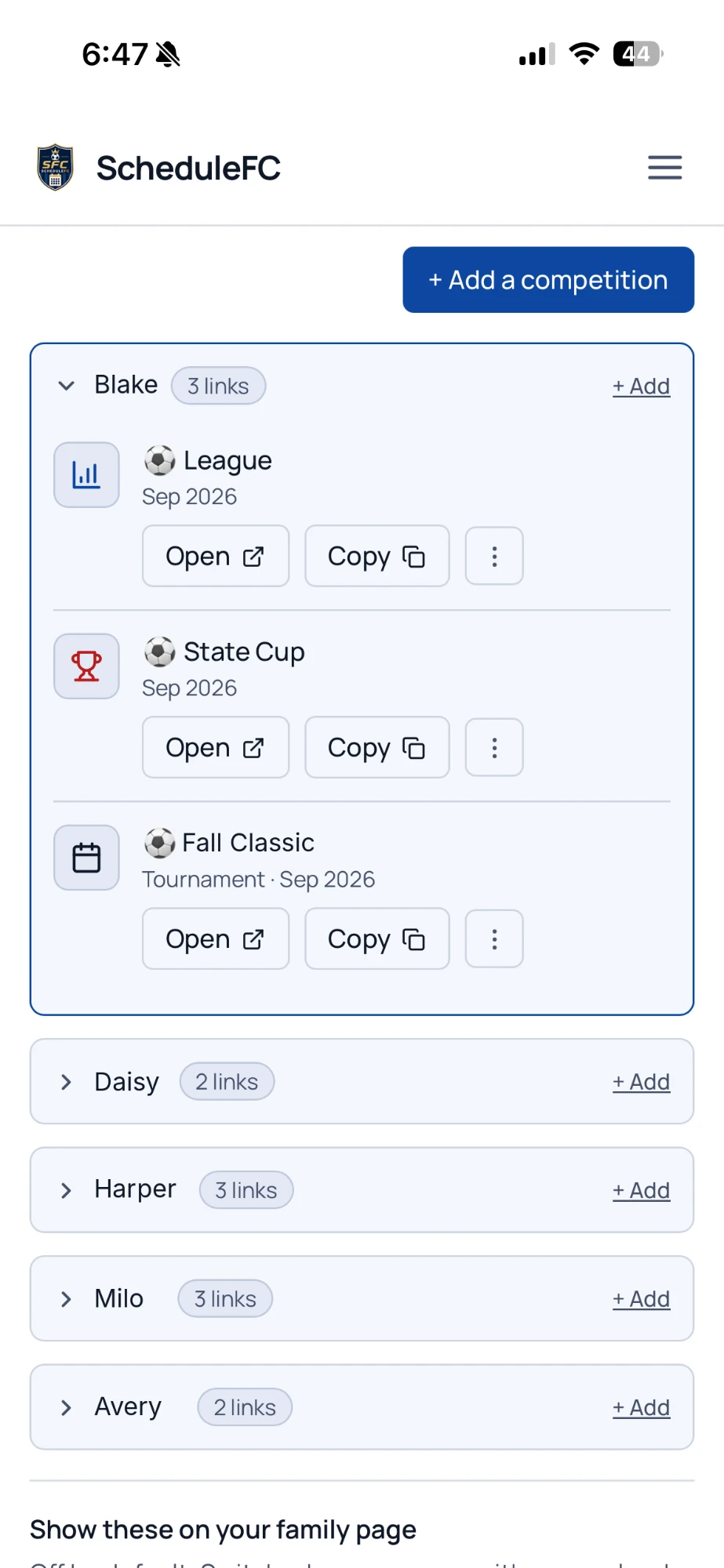
Every bracket, standings page and tournament link your kids play in, kept as competition links sorted by kid. First 3 free, then $5/year.
Team Manager Workspace
Run the schedule. Not a spreadsheet.
When one coach runs multiple teams, ScheduleFC stacks every team into one weekend view and helps you handle reschedules with the other team and coach calendars.
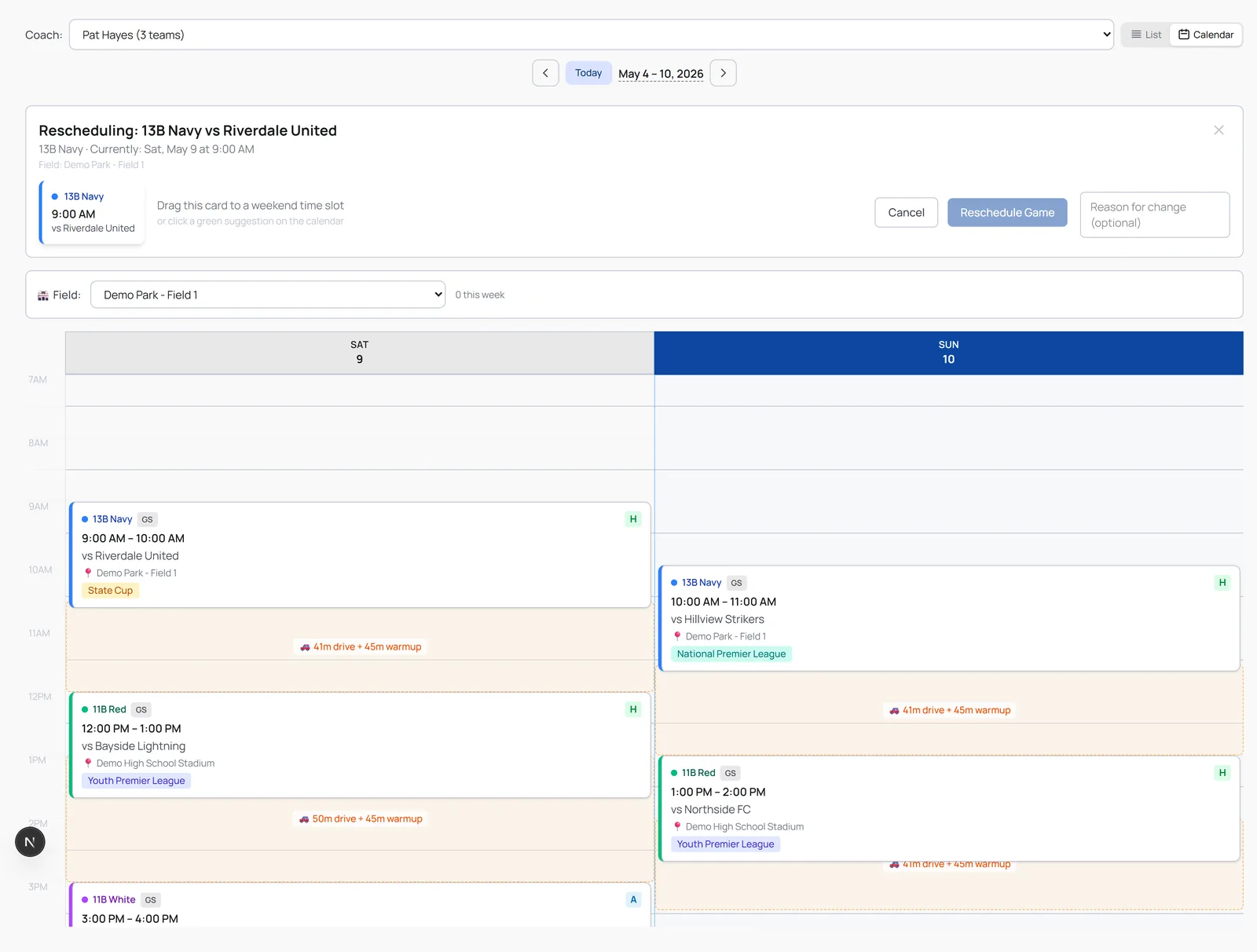
- Every team your coach runs, one weekend view
- Reschedules with travel and field checks
- Free for 6 months, then $10/yr
Tournament Day
Every team, every field, every kickoff on one public weekend link.
League Play
One public season page for league weekends, cup events and scores.
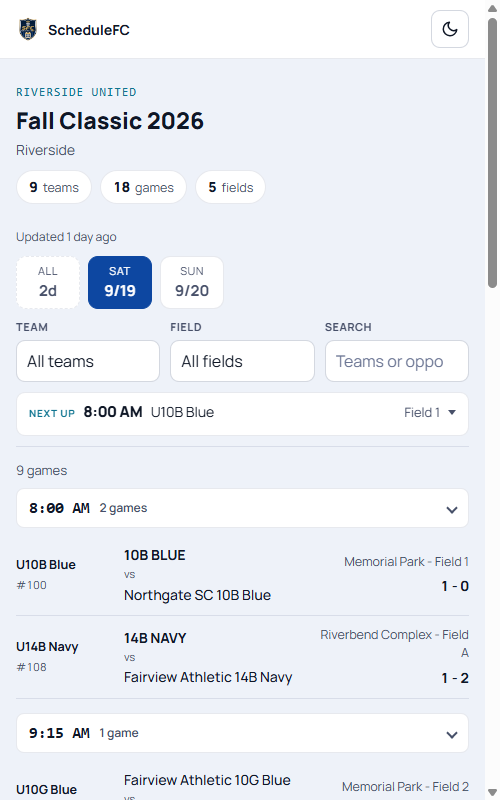
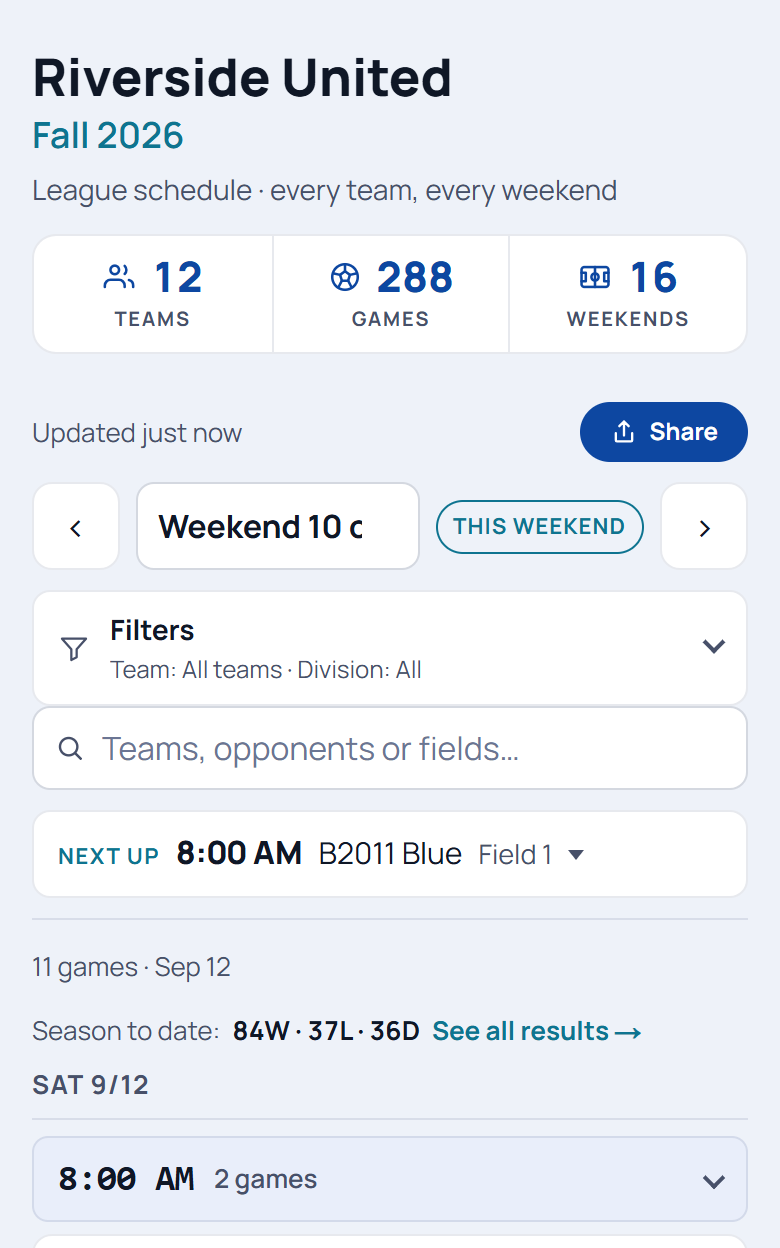
- One public link families read one-handed at the field
- Anyone at the field can refresh it when the schedule moves
- Bought as link credits, not a subscription
Which part is for me?
Is ScheduleFC one app or several?
One product with a front door for each job. Parents build a family calendar that merges every kid's team schedule into one link. Team managers get a workspace for running the season — reschedules, coach calendars, tournaments. On top of those sit two smaller add-ons you can buy on their own: Link Locker for keeping every league table and cup bracket in one place, and Tournament Day for putting a club's whole tournament weekend on one public link. They all read schedules from the team apps you already use.
I'm a parent AND a team manager — which do I need?
Both, and they don't fight: the family calendar is for following your own kids across their teams and sharing one link with family; the workspace is for running a team. One account can hold both — a team manager can add a family calendar from inside the app.
Where does Tournament Day fit in?
It's its own product, built for clubs on tournament weekends. When a club sends its teams to a tournament, Tournament Day turns the club's own schedule export into one public link for the weekend — every team, every field, readable on a phone at the field. It's sold as link credits, not a subscription.
Does my club have to use ScheduleFC before my family can?
No. The family calendar reads the calendar link your team app already gives you — PlayMetrics, TeamSnap, GameChanger, or any ICS feed — so it works whether or not your club has ever heard of us. It's free for the first month, then $5/year for the whole family, and nothing changes for your coach.
Start wherever your week is hardest.
Build a family calendar, run your team, or publish a club schedule — one account holds all of it.